
Download ConvertXtoDVD – convert video to DVD, DVD creator, video to DVD converter, create DVD from video, video converter for DVD
Overview
ConvertXtoDVD, developed by VSO Software, is a dedicated utility designed to transform various video formats into DVD-compatible files for playback on standard home and portable DVD players. The application serves as a reliable solution for users seeking to archive personal video content, share family recordings, or create custom DVDs for presentations and events. Its primary purpose is to bridge the gap between modern digital video files and legacy DVD playback systems, offering a seamless conversion process without requiring technical expertise.
Target users include home users, content creators, educators, and anyone needing to preserve or distribute video material in a universally accessible format. The app addresses the common challenge of format incompatibility by supporting a broad range of input sources, including AVI, DivX, Xvid, MKV, MPEG, MP4, MOV, and WMV. This ensures that users can convert videos from diverse sources—such as smartphones, digital cameras, or online downloads—into a standardized DVD format.
Within the digital media ecosystem, ConvertXtoDVD fills a niche for offline, device-independent video sharing. While streaming platforms dominate, physical media remains relevant for long-term storage, public presentations, and environments with limited internet access. The app’s focus on usability and format versatility makes it a valuable tool for users who prioritize reliability and compatibility over cloud-based alternatives.
Key Features & Functionality
- Wide Format Compatibility: Supports AVI, DivX, Xvid, MKV, MPEG, MP4, MOV, and WMV, enabling users to convert nearly any digital video file into DVD-ready format without additional software.
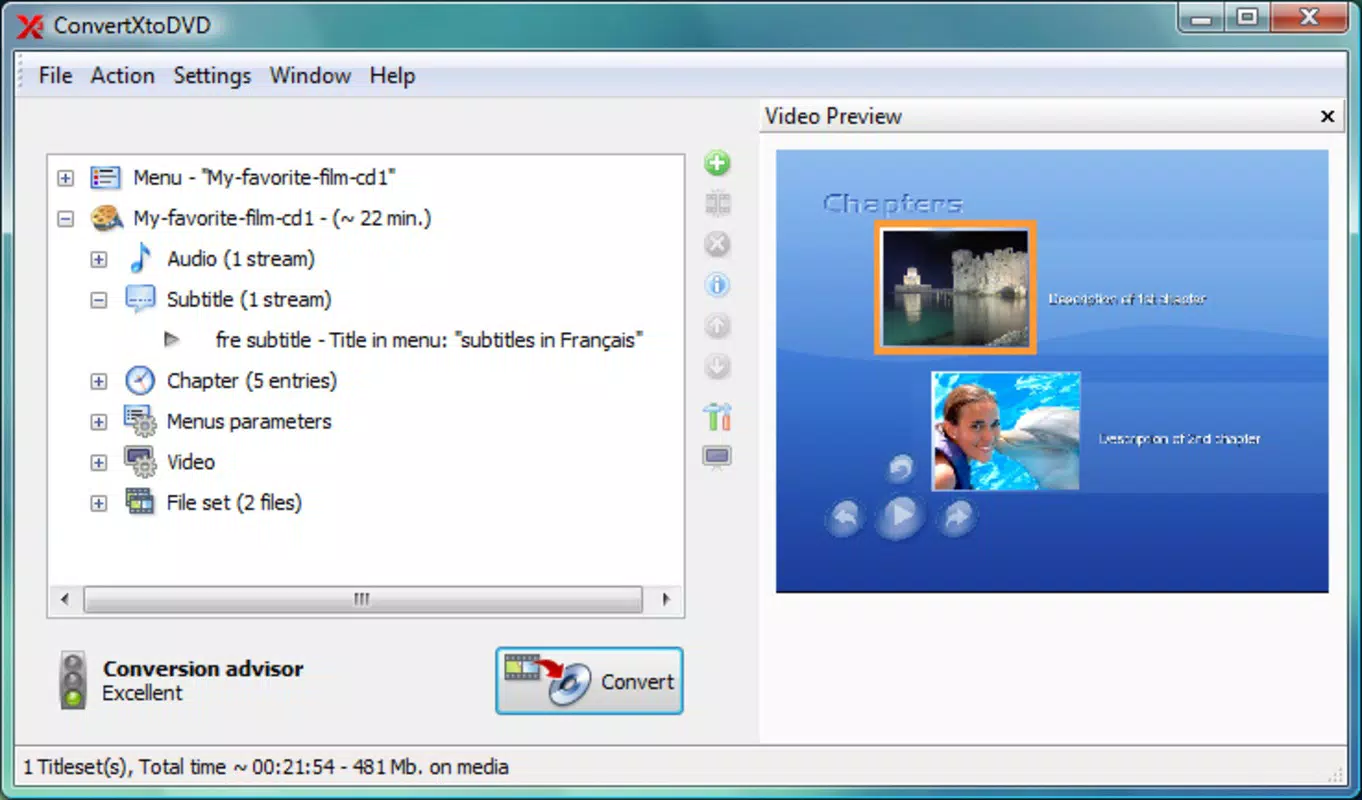
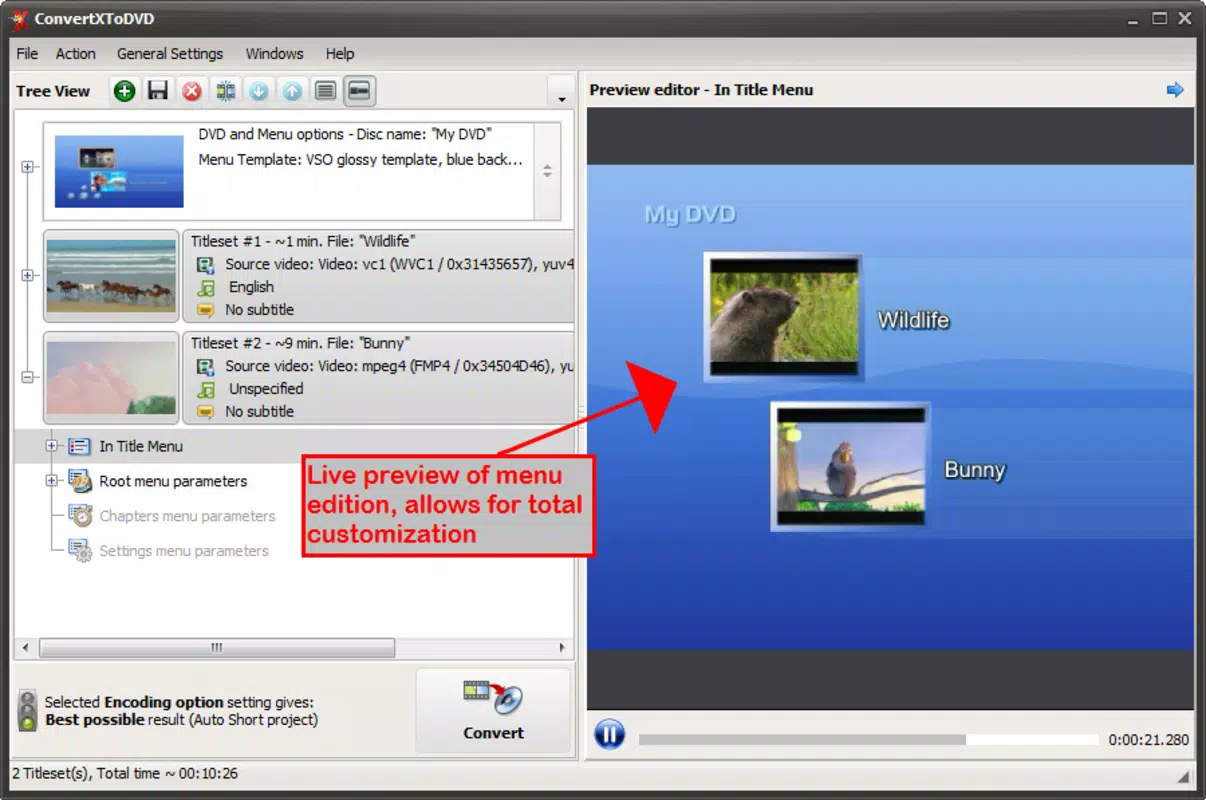
- Custom DVD Menus: Allows users to design personalized DVD menus with background images, text, and navigation options, enhancing the professional appearance of home-made DVDs.
- Unlimited Chapter Creation: Users can split long videos into multiple chapters, making it easy to navigate content during playback, ideal for documentaries, lectures, or multi-scene recordings.
- Basic Video Editing Tools: Includes trimming and cutting functions to remove unwanted segments such as intros, commercials, or outtakes, ensuring only relevant content is included in the final DVD.
- Real-Time Project Preview: Enables users to preview the entire DVD project before burning, allowing adjustments to timing, menu layout, or video segments to ensure desired output quality.
- PAL/NTSC and Aspect Ratio Support: Offers conversion between PAL and NTSC standards, along with 4:3 and widescreen aspect ratio options, ensuring compatibility with regional DVD players and display devices.
For example, a user can convert a 2-hour family vacation video recorded in MP4 format into a DVD with custom menus and chapter markers for each destination. Another use case involves educators converting a series of lecture videos into a single DVD with chapter navigation for student review. These features collectively enhance user control and output quality, making the app suitable for both casual and semi-professional use.
Interface, UX & Performance
ConvertXtoDVD features a clean, intuitive interface designed with workflow efficiency in mind. The main window organizes tasks into logical steps: importing video files, customizing menu and chapter settings, previewing the project, and initiating the conversion and burning process. Navigation is straightforward, with clearly labeled buttons and a step-by-step wizard guiding users through each stage.
The visual style is functional and minimalistic, avoiding clutter while maintaining accessibility for users of varying technical skill levels. Menus are responsive, and the real-time preview function updates smoothly, allowing users to assess timing and layout without delays. Although the developer did not list formal performance metrics, the application appears optimized for standard Windows systems, with a 128 MB file size suggesting efficient resource usage.
Stability during conversion and burning processes is expected to be reliable, given the app’s focused functionality and lack of unnecessary background tasks. The software operates without noticeable lag during typical use, and project rendering appears consistent across different device categories. Users can expect smooth performance when handling files within the supported format range and standard resolution levels.
Platform Compatibility & Technical Requirements
ConvertXtoDVD is designed for the Windows platform and requires a compatible Windows operating system. The software has a file size of 128 MB, indicating a lightweight installation that does not impose significant storage demands. The version listed is 1.0.0, released on March 15, 2024.
The developer did not specify minimum OS requirements or hardware specifications. As such, compatibility with older or newer Windows versions cannot be confirmed. However, given the app’s modest size and focused purpose, it is likely to function on most modern Windows systems. Users should verify system compatibility with their installed OS version before attempting installation.
Pros and Cons
Pros
- Supports a wide variety of video formats for conversion.
- Offers customizable DVD menus and unlimited chapter creation.
- Includes basic video editing tools for trimming and cutting.
- Real-time project preview enhances accuracy and user confidence.
- Provides PAL/NTSC and aspect ratio options for global compatibility.
- Lightweight installation at 128 MB.
Cons
- Platform limited to Windows; no availability for macOS or mobile devices.
- Specific system requirements were not disclosed.
- Price point of $39.95 may be considered high for casual users.
- Limited to DVD creation; no support for other media formats like Blu-ray or digital streaming.
- Does not include advanced editing features such as filters, transitions, or audio mixing.
FAQ
Is ConvertXtoDVD safe to download and install?
Yes, the application is developed by VSO Software, a known provider of media conversion tools. The software is distributed through official channels and does not contain known malware or intrusive ads.
Can I use ConvertXtoDVD on multiple computers?
License terms are not specified in the provided information. Users should consult the official VSO Software website for details on usage rights and multi-device installation policies.
Does ConvertXtoDVD support Blu-ray creation?
No, the app is specifically designed for DVD creation only. It does not offer support for Blu-ray disc formats or other high-definition media.
How do I update ConvertXtoDVD?
Updates are typically released by the developer through official channels. Users should check the VSO Software website regularly for the latest version and security patches.
Is there a free version or trial available?
The provided data does not mention a free trial or demo version. The listed price is $39.95, suggesting a full-featured purchase model without a free alternative.
Final Thoughts
ConvertXtoDVD stands out as a focused, reliable tool for users who need to convert digital video files into playable DVDs. Its robust format support, customizable output options, and user-friendly workflow make it a strong choice for home users, educators, and content organizers. While it lacks cross-platform availability and advanced editing tools, its core functionality is executed with precision and efficiency.
For individuals seeking a one-stop solution to preserve and share video content on physical media, ConvertXtoDVD delivers clear value. The ability to create professional-looking DVDs with custom menus and chapter navigation adds significant usability. Despite the price, the app’s stability and compatibility with a wide range of video formats justify its cost for dedicated users.
Download ConvertXtoDVD now


